
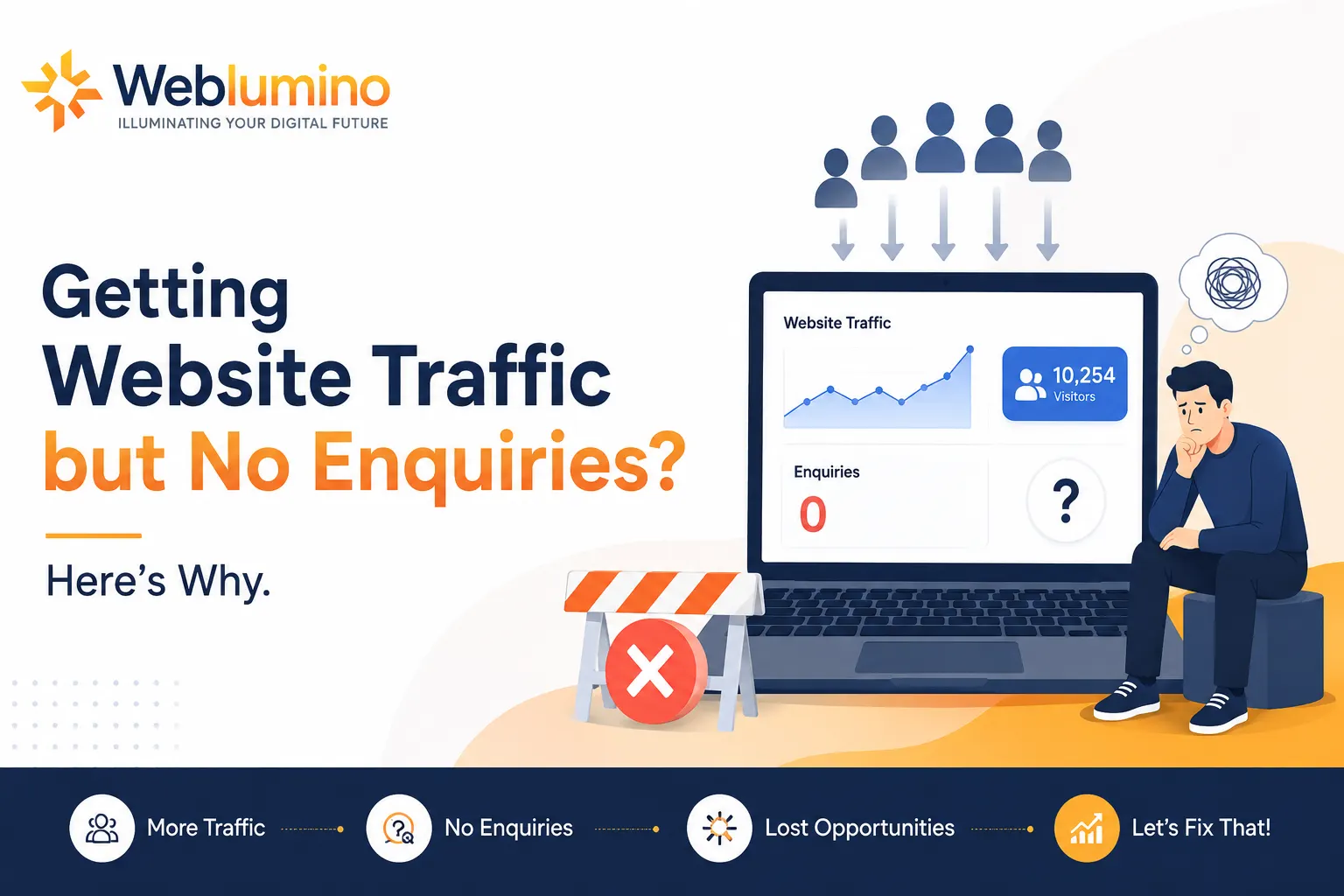
Your Google Analytics shows healthy numbers. Visitors are landing. Sessions are ticking up. But your inbox? Silent. Website traffic with zero enquiries is one of the most common and most misdiagnosed problems in small business marketing. The fix isn’t more traffic. It’s understanding why the traffic you already have isn’t converting.
Traffic Is Not the Problem — Conversion Is
Most businesses instinctively respond to low enquiries by doubling down on SEO or paid ads, pouring more visitors into a leaky bucket. But if your existing traffic isn’t converting, sending more of it won’t help. The real question is: what’s breaking between the click and the enquiry?
Website Conversion Rate Optimisation (CRO) is the discipline of answering that question. The average website converts at roughly 2–3%, which means the vast majority of visitors leave without taking any action. For many small business websites, the real rate is far lower, sometimes under 0.5%.
The 7 Real Reasons Visitors Don’t Enquire
These are the most common conversion killers, each one independently capable of neutralising all your marketing spend.
- You’re attracting the wrong audience. Ranking for broad informational keywords brings browsers, not buyers. Traffic quality beats traffic volume every time.
- Your value proposition is unclear. If a visitor can’t understand what you do and why it matters to them within 5 seconds, they leave. No second chances.
- Weak or missing calls to action, “Contact us” buried in the footer, is not a CTA. Every page should tell visitors exactly what to do next, prominently.
- No trust signals. Missing reviews, testimonials, case studies, or certifications makes first-time visitors reluctant to commit.
- Slow load speed: A one-second delay in page load reduces conversions by 7%. On mobile, patience is near zero.
- Friction in the contact process. Long forms, missing phone numbers, or no live chat force visitors to work too hard to reach you.
- A broken sales funnel. Visitors arrive, but there’s no logical journey guiding them from awareness to enquiry, they simply wander off.
Are You Getting the Right Traffic?
Not all website traffic is equal. Someone who finds your plumbing services page by searching “how do pipes work” is almost certainly not going to call you. This is the silent killer behind the “traffic but no enquiries” problem mismatched search intent.
Audit your top landing pages in Google Search Console. Check which queries are sending traffic. If your high-traffic pages are ranking for informational queries rather than commercial or transactional ones, you’re optimising for curiosity instead of enquiries.
“Ranking well is not the same as ranking for the right things. SEO for lead generation requires targeting keywords that reflect buyer intent phrases like ‘best’, ‘near me’, ‘hire’, ‘cost of’, or ‘quote for’, not just search volume.”
Beyond keywords, assess the geographic and demographic match of your visitors. Google Analytics audience reports and Search Console performance filters will reveal whether the people landing on your site could even be your customers.
How Your Website Sales Funnel Should Actually Work
A website that converts doesn’t leave navigation to chance. Every visitor enters at a different stage of awareness, and your site needs to guide them logically through each stage toward making contact.
Stage 1 — Awareness: The visitor lands and immediately understands who you are, what you do, and who you help. Your headline does this work. No jargon, no ambiguity.
Stage 2 — Interest: Testimonials, case studies, and specific results build credibility. Visitors decide whether to trust you here.
Stage 3 — Consideration: FAQs, pricing transparency, and comparison content remove the hesitations that prevent enquiry.
⚠ Most funnels break here: Many websites simply stop guiding the visitor. There’s no CTA, no offer, no urgency. The visitor bounces with zero enquiry.
Stage 4 — Action: A short form, a visible phone number, a booking widget, or a live chat option. Make it effortless to take the final step.
Fixing the Conversion Killers: Practical Actions
- Rewrite your homepage headline: In one sentence, your headline should answer: what you do, who it is for and the benefit they get. Email automation that generates repeat sales for e-commerce brands in London beats “Welcome to our website” on every test, every time.
- Add trust signals above the fold: Client logos, star ratings and a review count, or your years in business and an industry accreditation badge, these should be on view without needing to scroll. On a service page, a short testimonial near the CTA can significantly boost conversions on its own.
- Cut your contact form in half: They found that every field adds about 10% friction to the process of completing a form! Only Ask What You Actually Need To Answer. Typically, you only need three fields for an initial contact: name, email, and a short message.
- Fix your page speed: Test Your Site with Google PageSpeed Insights. Aim for 80+ on mobile. Some common examples of quick wins are compressing images, eliminating unused plugins and activating caching.
- Make your CTA unmissable: Your primary call to action should appear in the hero section, at the midpoint of the page, and at the bottom, at a minimum. Use active, specific language: “Get a free audit”, “Book a 20-minute call”, “Request a quote today”, all outperform “Contact us”.
Quick audit checklist:
✓ Site loads in under 3 seconds on mobile
✓ Every page has a clear, above-the-fold CTA
✓ Phone number visible in the header on all devices
✓ At least three recent testimonials on main service pages
✓ Google Search Console reviewed for mismatched keyword intent
✓ Contact form tested end-to-end
✓ Heatmap tool installed (Hotjar or Microsoft Clarity, both free).
Improving Website Conversion Rate for Small Businesses
You don’t need a massive budget or a full website rebuild to move the needle. Most small businesses can significantly increase website enquiries by addressing just two or three of the issues above.
Start with a 30-minute audit: pick your three highest-traffic pages, open them on a mobile device, and ask yourself Is it immediately obvious what I should do next? Is there a reason to trust this business? Could I get in touch in under 30 seconds?
If the answer to any of those is no, you’ve found your first conversion fix. Work through each page methodically and track the impact in Google Analytics by comparing enquiry rates week-on-week.
For businesses with sufficient traffic (500+ monthly visits), A/B testing tools like Google Optimise or VWO let you run controlled experiments on headline copy, CTA placement, and form length, removing guesswork from the optimisation process.
FAQ Section
A: The most common reasons are attracting the wrong type of traffic (informational rather than buyer-intent searches), a confusing value proposition, no clear call to action, lack of trust signals, slow page speed, or friction in the contact process. Usually, it’s a combination of two or three of these. Review your highest-traffic pages against the checklist above before spending more on advertising.
A: A healthy conversion rate for a small business service website sits between 2% and 5%. If you’re below 1%, there’s significant room to improve. B2B services and high-ticket purchases naturally convert lower than, say, a local restaurant taking table reservations. Compare against your own historical data first, then industry benchmarks.
A: Focus on conversion rate optimisation before acquisition. Add a compelling lead magnet (a free guide, checklist, or template) to capture emails from visitors not yet ready to enquire. Install a live chat or chatbot. Improve page speed. Add exit-intent pop-ups offering something of value before a visitor leaves. These changes work on the traffic you already have.
A: SEO done correctly is one of the most effective lead generation strategies available, but the type of SEO matters. Targeting high-volume informational keywords brings traffic that rarely converts. SEO for lead generation focuses on transactional and commercial-intent keywords: service + location terms, comparison queries, “best [service] for [problem]” phrases, and review-related searches.
A: Each page should have one primary CTA. Offering too many choices reduces conversions through decision paralysis. On longer pages, repeat the same primary CTA at multiple points hero section, midway, and the bottom. Secondary CTAs should be visually subordinate and serve visitors not yet ready to enquire.
A: Start with free tools: Google Analytics 4 (track pages with high traffic but low goal completions), Google Search Console (identify keyword intent mismatches), Microsoft Clarity (free session recordings and heatmaps), Google PageSpeed Insights (speed issues), and Hotjar (heatmaps and on-site surveys). Together, these build a clear picture of where and why visitors are leaving.
A: Some changes, like adding a visible phone number or fixing a broken contact form, can show impact within days. More structural changes typically show movement in 4–8 weeks. For formal A/B testing to reach statistical significance, most tools recommend waiting for at least 250–500 conversions per variant.
A: Key trends include AI-powered personalisation (adapting page content based on visitor behaviour), conversational CTAs replacing static forms, video testimonials outperforming written ones, Core Web Vitals as a direct ranking and conversion signal, and micro-conversions — nurturing lower-commitment actions before asking for enquiries, particularly for higher-ticket services.
Rarely, at least not immediately. Most conversion problems can be solved page by page, rewriting headlines, improving CTAs, adding social proof, and fixing speed issues. Reserve a full redesign for situations where the technical architecture is holding you back, or the brand needs a significant overhaul. Fix your highest-traffic pages first and measure the impact before committing to a rebuild.